
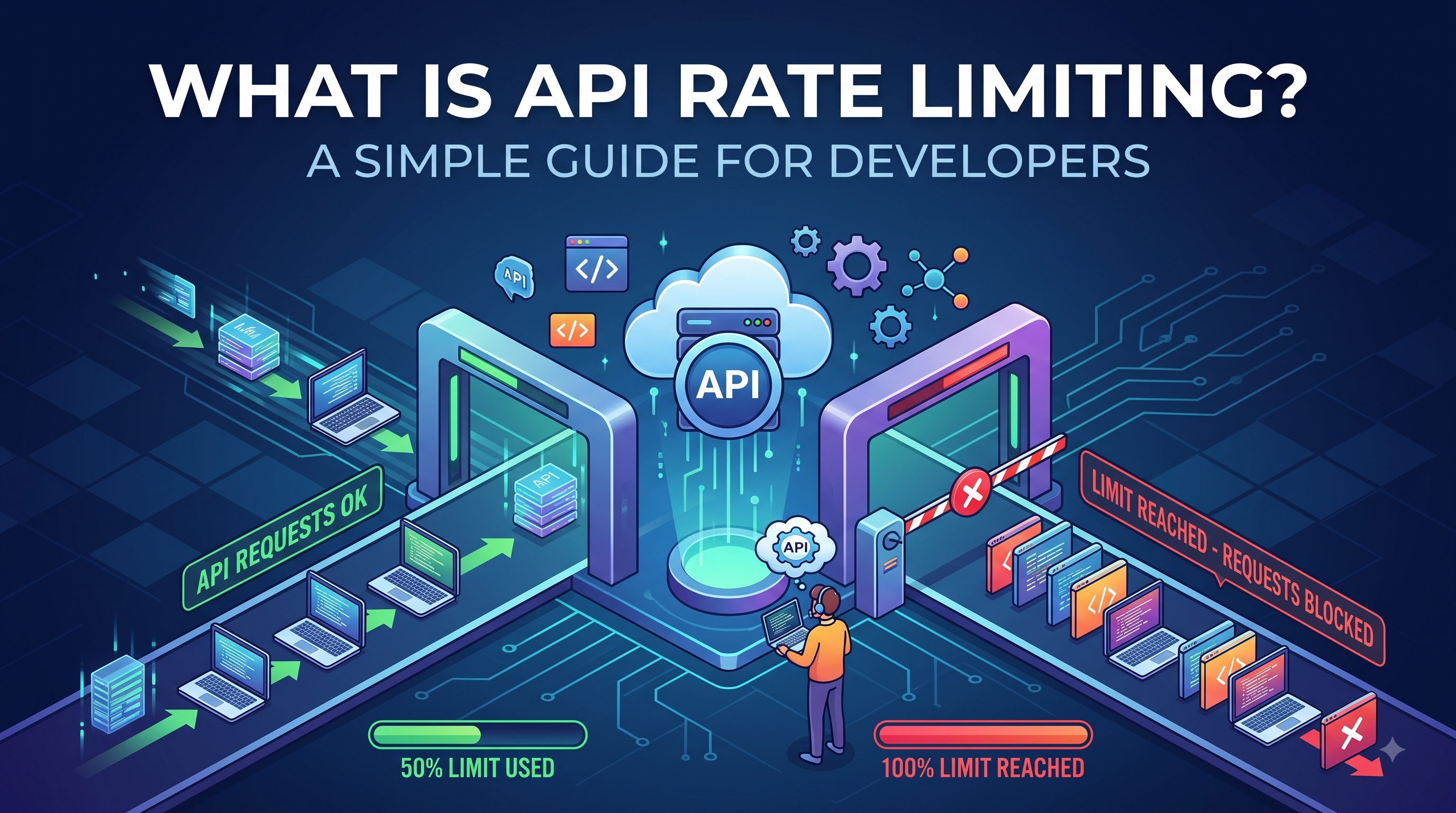
What Is API Rate Limiting?
Imagine you have a small coffee shop.
During normal hours, a few customers come in, place their orders, and everything runs smoothly.
Then suddenly, hundreds of people show up at exactly the same time.
The staff starts getting overwhelmed.
Orders take longer.
Customers have to wait.
Eventually, the entire operation can become unavailable.
An API can experience something very similar.
When too many requests reach an API within a short period of time, the server can become overloaded. This can affect performance, increase infrastructure costs, and in some cases make the application unavailable.
This is where API rate limiting becomes important.
Simply put, API rate limiting is a mechanism that controls how many requests a client can make to an API within a specific period of time.
For example:
A user can make 100 API requests every minute.
Once the limit is reached, additional requests may be rejected or temporarily delayed until the limit resets.
It sounds simple, but rate limiting plays an important role in API security, performance, reliability, and scalability.
Why Do APIs Need Rate Limiting?
Without rate limiting, an API may accept requests without any meaningful restriction.
That can become a problem.
A single client could accidentally—or intentionally—send thousands of requests within a few seconds.
For example:
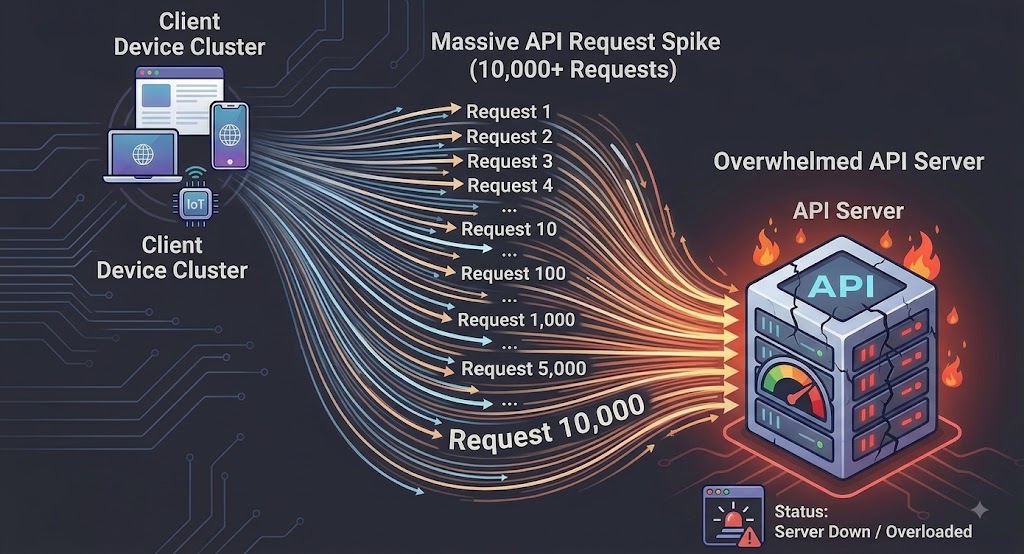
If the server has to process all those requests, resources such as CPU, memory, database connections, and network bandwidth can quickly become exhausted.
Rate limiting acts as a traffic control mechanism.
Instead of allowing unlimited requests:
Client ↓Rate Limiter ↓Allowed Requests → APIBlocked Requests → 429 Too Many RequestsThis gives the API a way to protect itself.
5 Reasons API Rate Limiting Matters
1. Protecting API Performance
The first reason is straightforward:
Your API needs to stay responsive.
Imagine an API endpoint that performs an expensive database query.
If one user sends hundreds of requests every second, the server may spend most of its resources processing those requests.
Other users may experience:
Slow responses
Timeouts
Failed requests
Poor application performance
Rate limiting helps distribute resources more fairly.
2. Preventing Abuse
Not every API request comes from a legitimate user.
An API can become a target for:
Automated scripts
Bots
Credential attacks
Scrapers
Brute-force attempts
Malicious traffic
Rate limiting doesn't replace proper authentication or security controls, but it adds another layer of protection.
For example, a login endpoint could have a much stricter limit than a public content endpoint.
Login API5 requests / minuteProduct API100 requests / minutePublic API1,000 requests / hourDifferent endpoints can have different limits depending on their risk and resource requirements.
3. Preventing Accidental Overload
API abuse isn't always malicious.
Sometimes the problem is simply a bug.
Imagine a mobile application accidentally enters a loop:
while (true) { fetch("/api/products");}That application could generate a huge number of requests.
The developer might not even realize it immediately.
A rate limiter provides a safety net.
Instead of allowing the application to continuously consume server resources, the API can stop accepting requests after the defined threshold is reached.
4. Controlling Infrastructure Costs
More API requests generally mean more infrastructure resources are consumed.
Depending on the architecture, excessive traffic can increase:
CPU usage
Memory consumption
Database queries
Bandwidth
Cloud infrastructure costs
For applications running on cloud infrastructure, uncontrolled traffic can become an expensive surprise.
Rate limiting helps teams control how resources are consumed.
5. Improving Fairness Between Users
Imagine an API used by 1,000 customers.
Without rate limiting, one customer could potentially consume a huge portion of the available resources.
That isn't fair to everyone else.
Rate limiting allows the system to establish reasonable usage boundaries.
For example:
User A → 100 requests/minute
User B → 100 requests/minute
User C → 100 requests/minute
This creates a more predictable experience.
How Does API Rate Limiting Work?
At a high level, the process is quite simple.
A request arrives at the API.
The system checks how many requests the client has already made within the defined time window.
Then it makes a decision.

If the request is within the limit, it continues to the API.
If the limit has been exceeded, the API can return:
HTTP 429 — Too Many Requests
The client can then wait before trying again.
What Does HTTP 429 Mean?
HTTP status code 429 Too Many Requests indicates that the client has sent too many requests within a given amount of time.
A typical response might look like:
HTTP/1.1 429 Too Many RequestsContent-Type: application/jsonRetry-After: 60The Retry-After header can tell the client how long it should wait before trying again.
A JSON response could look like:
{ "error": "Too many requests", "message": "Please try again later."}This is especially useful when building APIs consumed by external developers.
Instead of simply returning an error, the API communicates what happened and potentially when the client can retry.
Common API Rate Limiting Algorithms
There isn't just one way to implement rate limiting.
Several algorithms are commonly used.
1. Fixed Window
The fixed window approach divides time into fixed intervals.
For example:
100 requests per minute.
The counter starts at:
10:00:00
and resets at:
10:01:00
A simple implementation could look like:
10:00 - 10:01Maximum: 100 requestsAdvantages
Easy to understand
Easy to implement
Low computational overhead
Disadvantage
Traffic can spike around the boundary of two windows.
For example:
10:00:59 → 100 requests
10:01:00 → 100 requests
A client could potentially make 200 requests within a very short period.
2. Sliding Window
The sliding window approach evaluates requests over a continuously moving time period.
Instead of saying:
"100 requests between 10:00 and 10:01"
the system effectively asks:
"How many requests has this client made during the last 60 seconds?"
This provides smoother traffic control than a fixed window.
Advantages
More accurate
Better handling of traffic bursts
Disadvantage
More complex to implement
Can require more memory or processing
3. Token Bucket
The Token Bucket algorithm is another popular approach.
Imagine a bucket containing tokens.
Each API request consumes one token.
New tokens are added to the bucket at a fixed rate.
For example:
Bucket capacity: 100 tokens
Refill rate: 10 tokens/second
If a client has tokens available, the request is accepted.
If the bucket is empty, the request is rejected or delayed.
The interesting part is that Token Bucket can allow controlled bursts while still maintaining an overall request rate.
This makes it useful for many real-world API systems.
4. Leaky Bucket
The Leaky Bucket algorithm works differently.
Imagine requests entering a bucket.
Requests are processed at a controlled rate.
If requests arrive too quickly and the bucket becomes full, additional requests may be rejected.
This creates a more consistent flow of traffic.
It can be useful when you want to smooth out sudden traffic spikes.
Rate Limiting vs Throttling
These terms are sometimes used interchangeably, but there can be a subtle distinction.
Rate limiting generally defines how many requests a client is allowed to make during a specific period.
Throttling can refer more broadly to controlling or slowing down request processing when traffic becomes too high.
For example:
Rate Limit:100 requests / minuteThrottling:Slow down processing when server load becomes too highIn real-world API documentation, however, the terminology isn't always used consistently.
The important thing is understanding what behavior your system actually implements.
Where Should Rate Limiting Be Implemented?
Rate limiting doesn't necessarily have to happen directly inside your application code.
It can be implemented at different layers.
Application Level
The application itself checks request limits.
For example:
Client
↓
Application
↓
Rate Limiter
↓
Database
This gives developers fine-grained control.
API Gateway
Rate limiting can also be handled by an API Gateway.
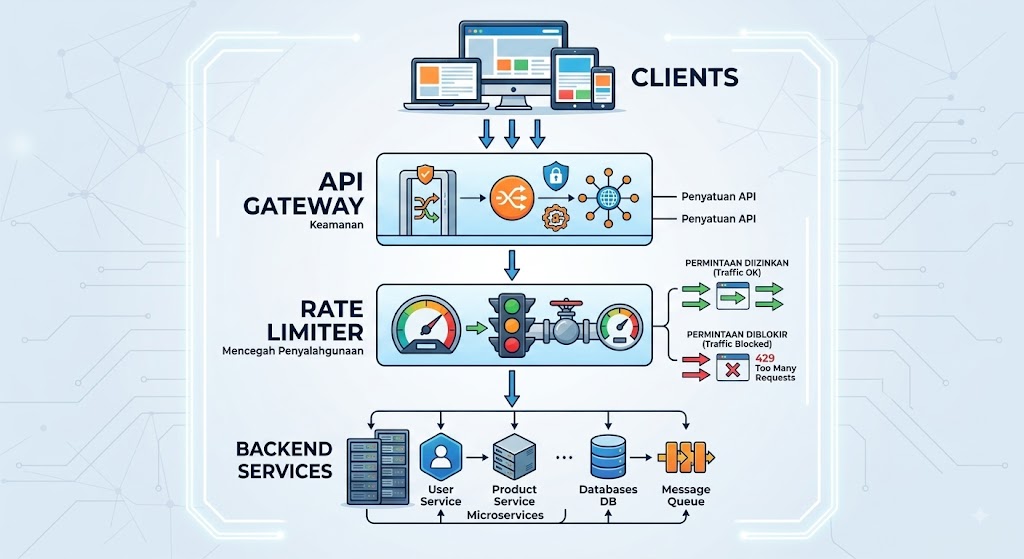
This is particularly useful for microservices architectures.
Instead of implementing rate limiting independently in every service, the gateway can provide centralized control.
Reverse Proxy
A reverse proxy can also help manage traffic before requests reach the application.
This can be useful when you want to reject excessive traffic as early as possible.
The earlier unwanted traffic is stopped, the fewer application resources it consumes.
What Should You Use as the Rate Limit Identifier?
An important design question is:
How do you know which client is making the requests?
Common identifiers include:
IP Address
192.168.1.100 → 100 requests/minute
Simple, but not always reliable.
Multiple users may share the same public IP, especially behind NAT or corporate networks.
API Key
API Key A → 1,000 requests/hour
This is common for public APIs.
User ID
User 123 → 100 requests/minute
Useful when users are authenticated.
Final Thoughts
API rate limiting might seem like a small backend feature.
It isn't.
As applications grow, APIs become increasingly important infrastructure. Without reasonable traffic controls, a single buggy application, unexpected traffic spike, or malicious client can affect the experience of everyone else.
Good rate limiting helps your API:
Stay available
Protect resources
Reduce abuse
Control infrastructure costs
Provide a more predictable experience
But don't think of rate limiting simply as:
"How do I block users who send too many requests?"
A better question is:
"How can I design fair and predictable API usage while keeping my system reliable?"
That mindset leads to better API architecture.
And as your application grows, understanding concepts like rate limiting, API gateways, caching, authentication, and load balancing becomes increasingly important—not only for backend developers, but also for anyone involved in designing and managing software systems.
Frequently Asked Questions
What is API rate limiting?
API rate limiting is a mechanism that controls how many requests a client can make to an API within a specific period of time. It helps protect APIs from excessive traffic, abuse, and accidental overload.
What happens when an API rate limit is exceeded?
The API commonly responds with HTTP 429 Too Many Requests. Depending on the implementation, the response may also include information telling the client when it can retry.
What is the difference between rate limiting and throttling?
Rate limiting generally defines a maximum number of requests allowed during a period, while throttling can refer more broadly to slowing or controlling request processing when traffic becomes excessive.
Is API rate limiting a security feature?
Yes, but it should not be treated as a complete security solution. Rate limiting works best alongside authentication, authorization, monitoring, logging, and other security controls.
What is the best API rate limiting algorithm?
There isn't one algorithm that is best for every application. Fixed Window is simple, Sliding Window provides smoother control, while Token Bucket is useful when controlled bursts are acceptable.