
Have you ever opened a website during a busy period and wondered how it can handle thousands—or even millions—of users at the same time?
Maybe the site is running promotions.
Maybe everyone is checking the latest product release.
Or maybe it's simply a popular application with users connecting from different parts of the world.
At first, you might think:
“There's probably one really powerful server handling all of this.”
Sometimes there is.
But for applications that need to scale, relying on a single server can quickly become a problem.
This is where load balancing comes in.
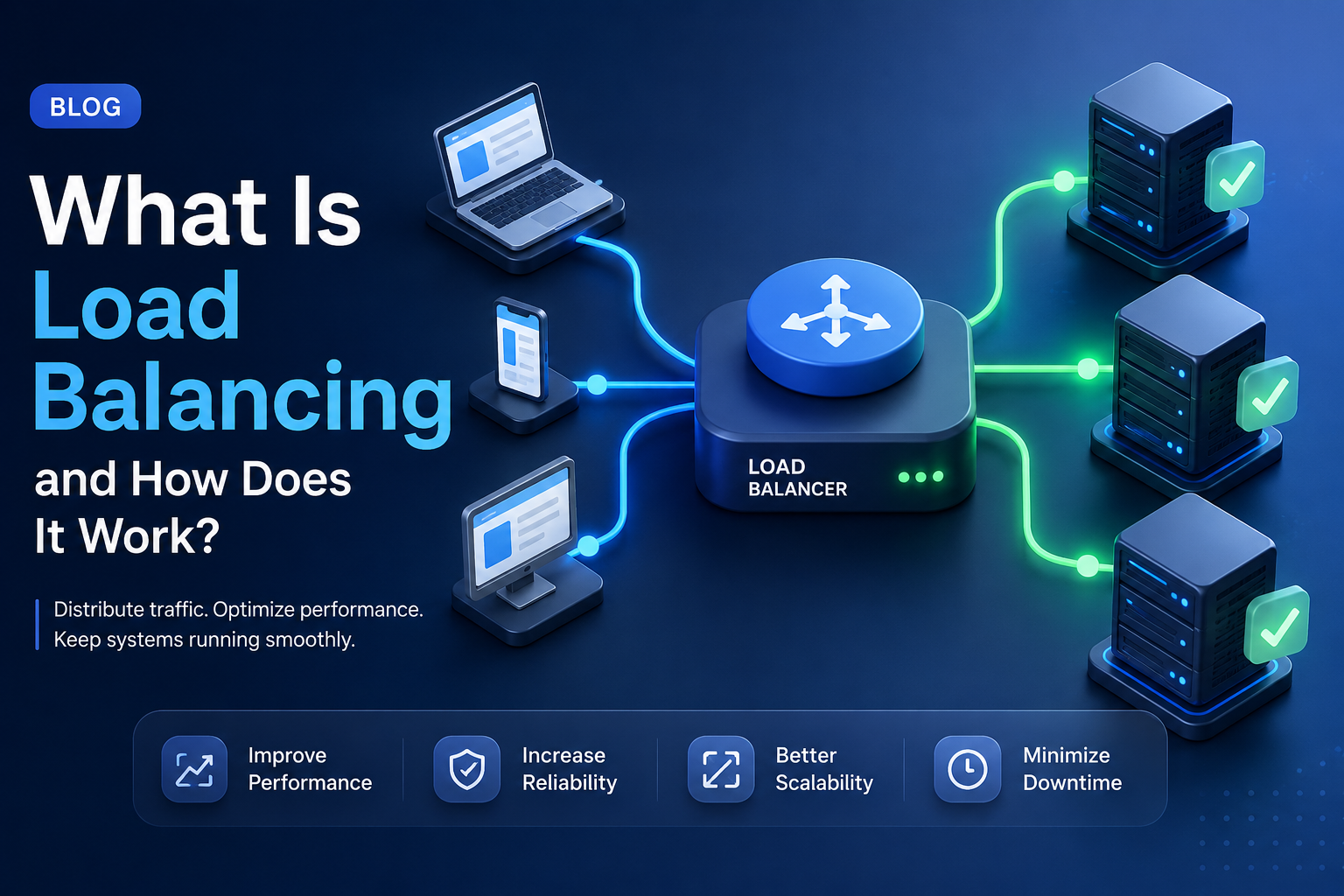
Load balancing is a common technique used to distribute incoming traffic across multiple servers or backend instances.
Instead of asking one server to handle everything, a load balancer helps spread the work across several servers.
The basic idea is simple:
One entry point → Multiple servers → Shared workload
Let's break it down.
What Is Load Balancing?
Load balancing is the process of distributing network or application traffic across multiple servers or computing resources.
The goal is to prevent one server from receiving too much traffic while other servers are sitting idle.
Imagine you have three application servers:
                 Users
                   ↓
             Load Balancer
              ↙    ↓    ↘
         Server A Server B Server C
Instead of every request going to Server A:
Users
  ↓
Server A
Server A
Server A
Server A
the load balancer distributes requests:
Request 1 → Server A
Request 2 → Server B
Request 3 → Server C
Request 4 → Server A
Request 5 → Server C
The exact distribution depends on the load balancing algorithm being used.
Why Do We Need Load Balancing?
The most obvious reason is scalability.
Imagine a web application running on one server.
As traffic grows:
100 users
↓
1,000 users
↓
10,000 users
↓
100,000 users
Eventually, that server may reach its limits.
You could buy a more powerful machine.
That's called vertical scaling, or scaling up.
But there is another approach.
Instead of making one server bigger, you add more servers:
Server A
Server B
Server C
Server D
This is horizontal scaling, or scaling out.
A load balancer helps distribute traffic across those servers.
That's one of the main reasons load balancing is so important in scalable application architecture.
A Simple Real-World Analogy
Imagine a supermarket with one cashier.
At first, everything is fine.
There are only a few customers.
But suddenly 50 people arrive.
Now there's a long line.
What does the supermarket do?
It opens more checkout counters.
Then a staff member directs customers to different counters.
That's essentially what a load balancer does.
The customers are requests.
The cashiers are servers.
And the staff member is the load balancer.
The goal isn't just to open more counters.
It's to make sure customers are distributed efficiently.
How Does a Load Balancer Work?
A simplified request flow looks like this:
Client
   ↓
Load Balancer
   ↓
Choose Backend
   ↓
Server A / B / C
   ↓
Response
   ↓
Client
When a request arrives, the load balancer decides which backend server should handle it.
That decision can depend on several factors, such as:
Load on the server
Number of active connections
Server health
Request characteristics
Routing rules
Geographic location
Load balancing algorithm
The load balancer then forwards the request to the selected server.
Load Balancer vs Web Server
These terms are sometimes confused.
A web server handles HTTP requests and serves content or forwards requests to an application.
A load balancer primarily decides where incoming traffic should go.
For example:
Internet
   ↓
Load Balancer
   ↓
┌───────────┬───────────┬───────────┐
↓           ↓           ↓
Web Server  Web Server  Web Server
The load balancer sits in front of the backend servers.
In practice, some software such as NGINX can be configured to act as both a web server and a load balancer.
Common Load Balancing Algorithms
The load balancer needs a strategy for deciding where each request goes.
That's where load balancing algorithms come in.
Round Robin
This is one of the simplest approaches.
Requests are distributed in sequence:
Request 1 → Server A
Request 2 → Server B
Request 3 → Server C
Request 4 → Server A
It's easy to understand and works well when servers have roughly similar capacity and workloads.
Weighted Round Robin
What if Server A is much more powerful than Server B?
You can assign different weights.
For example:
Server A → Weight 3
Server B → Weight 2
Server C → Weight 1
Server A receives more traffic than Server C.
This is useful when backend instances have different capacities.
Least Connections
Instead of simply rotating between servers, the load balancer sends traffic to the server with the fewest active connections.
For example:
Server A → 100 connections
Server B → 50 connections
Server C → 25 connections
A new request may be sent to Server C.
This can be useful when requests have different processing times.
IP Hash
The load balancer uses the client's IP address to determine which server should receive the request.
This can help maintain a degree of consistency where needed.
However, IP-based approaches have limitations, especially when many users appear behind the same NAT or proxy.
Consistent Hashing
Some systems use hashing techniques to distribute requests while minimizing reassignment when backend nodes change.
This is particularly useful in certain distributed systems and caching scenarios.
The appropriate algorithm depends on your application's behavior.
What Is a Health Check?
Imagine Server B suddenly crashes.
If the load balancer keeps sending traffic to Server B, users will start receiving errors.
That's why load balancers commonly use health checks.
A health check might look like:
GET /health
The load balancer checks whether the server responds correctly.
For example:
Server A → Healthy ✅
Server B → Healthy ✅
Server C → Unhealthy ❌
The load balancer can then stop sending traffic to Server C.
This is one of the most important features for high availability.
Health Checks Are More Important Than They Look
A server being “online” doesn't necessarily mean it's healthy.
For example:
Server responds → ✅
Database connection → ❌
Payment service → ❌
Application ready → ❌
That's why production applications often define meaningful health endpoints.
You may have different checks for:
Liveness
Is the process alive?
Readiness
Is the application actually ready to receive traffic?
These concepts are especially important in containerized and orchestrated environments.
Load Balancing and High Availability
Load balancing is closely related to high availability.
Imagine you have three servers.
If one fails:
Server A → ✅
Server B → ❌
Server C → ✅
The load balancer can continue sending requests to A and C.
Users may not even notice that one backend instance has failed.
This is much more resilient than:
One Server → Failure → Entire Application Down
Load balancing doesn't guarantee high availability by itself, but it can be an important part of a highly available architecture.
Load Balancing and Horizontal Scaling
One of the biggest benefits is that you can add more instances when traffic increases.
For example:
Low Traffic

Load Balancer
      ↓
 Server A
Later:
Higher Traffic

        Load Balancer
        ↙    ↓    ↘
    Server A Server B Server C
And during a major traffic spike:
        Load Balancer
     ↙   ↓   ↓   ↓   ↘
    A    B   C   D    E
This allows the application layer to scale horizontally.
In cloud environments, instances can sometimes be added or removed automatically based on metrics such as CPU utilization, request count, or other signals.
What Is Session Stickiness?
Here's where things get a little more interesting.
Imagine a user logs in and their session is stored only on Server A.
Then the next request goes to Server B.
Server B doesn't know about the session.
The user might suddenly appear logged out.
This is where session persistence, also called sticky sessions, can be used.
The load balancer tries to route the same client to the same backend server:
User
 ↓
Load Balancer
 ↓
Server A

Next request
User
 ↓
Load Balancer
 ↓
Server A
Sticky sessions can solve certain session-related problems.
But they can also make scaling and failover more complicated.
A more scalable approach is often to avoid relying on local session state and use shared or external state where appropriate.
For example:
Server A ─┐
Server B ─┼→ Shared Session Store
Server C ─┘
This allows requests to move between instances more freely.
Load Balancing at Different Layers
Load balancing isn't limited to one layer.
You may encounter:
DNS Load Balancing
DNS can return different IP addresses for the same domain.
For example:
example.com
    ↓
IP A
IP B
IP C
This can distribute traffic geographically or across infrastructure.
However, DNS-based approaches have limitations because of caching and DNS behavior.
Layer 4 Load Balancing
Layer 4 load balancers operate at the transport layer, commonly using information such as:
Source IP
Destination IP
TCP port
UDP port
They generally don't need to understand the application-level HTTP request.
Layer 7 Load Balancing
Layer 7 load balancers understand application-level protocols such as HTTP.
They can make routing decisions based on:
URL path
Hostname
HTTP headers
Cookies
Other request information
For example:
/api/*     → API Servers
/images/*  → Image Servers
/admin/*   → Admin Servers
This provides much more flexible application-aware routing.
Load Balancer vs Reverse Proxy
Another common comparison is load balancer vs reverse proxy.
A reverse proxy sits in front of backend servers and forwards client requests.
A load balancer distributes traffic among multiple backend servers.
The important detail is that these roles can overlap.
A reverse proxy can also perform load balancing.
For example, NGINX can be configured as:
Internet
   ↓
NGINX
   ↓
Application Servers
while also distributing traffic between multiple backend instances.
So the distinction is more about the responsibility and configuration than a strict technology boundary.
What Happens When a Server Fails?
Let's walk through a simple example.
Suppose you have:
Load Balancer
  ├── Server A ✅
  ├── Server B ✅
  └── Server C ✅
Server B crashes.
The health check detects the failure:
Load Balancer
  ├── Server A ✅
  ├── Server B ❌
  └── Server C ✅
New requests are routed to:
Server A
Server C
The failed server is removed from the active pool.
Once Server B recovers and passes its health checks, it can potentially be added back.
This process is one of the reasons load balancing improves resilience.
Does Load Balancing Make an Application Faster?
Not necessarily.
This is an important misconception.
A load balancer doesn't magically make one request execute faster.
Instead, it helps the system handle more requests reliably and can prevent individual servers from becoming overloaded.
For example:
Without load balancing:
1 Server
↓
100% CPU
↓
Slow response
With multiple instances:
Load Balancer
   ↓
A → 30% CPU
B → 35% CPU
C → 25% CPU
The overall system may respond better under load.
But if your application has a slow database query, putting another server behind a load balancer won't automatically fix it.
Sometimes the bottleneck is somewhere else.
Load Balancing Doesn't Solve Every Scalability Problem
This is another important lesson.
You can add 20 application servers.
But what if all of them depend on the same database?
        Load Balancer
       ↙    ↓    ↘
      A     B     C
       \     |    /
          Database
Now the database may become the bottleneck.
The same can happen with:
Redis
External APIs
Message brokers
Storage
Network capacity
Scaling one layer doesn't automatically scale the entire system.
Good architecture requires looking at the whole request path.
Load Balancing in Microservices
In microservices architecture, load balancing can happen between services as well.
For example:
API Gateway
     ↓
Order Service
  ↙   ↓   ↘
 A     B    C
The Order Service might have multiple instances.
Traffic can be distributed among them.
In some environments, service discovery and orchestration platforms can handle part of this process automatically.
The exact architecture depends on the infrastructure and platform.
Common Load Balancing Technologies
There are many options available depending on your infrastructure.
Examples include:
NGINX
HAProxy
AWS Elastic Load Balancing
Google Cloud Load Balancing
Azure Load Balancer
Cloudflare Load Balancing
Traefik
Envoy
The right choice depends on:
Cloud provider
Network architecture
Traffic volume
Protocol requirements
Security requirements
Team expertise
Budget
Operational complexity
The most popular tool isn't automatically the right one.
When Should You Use Load Balancing?
Load balancing becomes especially useful when:
Your Application Has Multiple Instances
If you're running several backend instances, you need a way to distribute traffic.
You Need High Availability
If one instance fails, traffic can be redirected to healthy instances.
Traffic Is Growing
Load balancing makes horizontal scaling more practical.
You Have Multiple Geographic Regions
Traffic can potentially be routed to infrastructure closer to users.
You Need Flexible Routing
Layer 7 routing can direct different types of requests to different backend pools.
When You May Not Need It
Not every application needs a load balancer.
For example, a small internal tool might have:
Users
  ↓
One Server
  ↓
Database
Adding:
Users
  ↓
Load Balancer
  ↓
One Server
doesn't necessarily provide much value.
Instead, it introduces another component that needs to be configured, monitored, secured, and maintained.
Again, architecture should solve a problem.
Don't add infrastructure simply because a diagram looks more “production-ready.”
A Simple Load Balancing Architecture
Here's a common architecture for a web application:
                 Internet
                    ↓
             DNS / CDN
                    ↓
             Load Balancer
               ↙    ↓    ↘
          App Server App Server App Server
               ↘    ↓    ↙
               Shared Database
A more advanced setup might look like:
                    Internet
                       ↓
                  CDN / WAF
                       ↓
                 Load Balancer
                       ↓
              ┌───────────────┐
              │ API / Web Tier│
              └───────┬───────┘
                 ↙    ↓    ↘
              App A  App B  App C
                 ↘    ↓    ↙
                Cache / Queue
                     ↓
                 Database
The exact design depends on the application's workload and requirements.
Common Load Balancing Mistakes
1. Creating a Single Point of Failure
If you have multiple application servers but only one load balancer, the load balancer itself can become a problem.
Production environments should consider redundancy and failover.
2. Ignoring Health Checks
A load balancer needs a reliable way to identify unhealthy instances.
3. Depending Too Much on Sticky Sessions
Sticky sessions can work, but they can also create uneven traffic distribution and complicate failover.
4. Scaling Only the Application Layer
Your database or another shared dependency may become the real bottleneck.
5. Choosing an Algorithm Without Understanding the Workload
Round robin isn't automatically the best choice.
Understand how your requests behave first.
6. Not Monitoring the Load Balancer
Monitor things such as:
Request rate
Latency
Error rate
Active connections
Backend health
Connection failures
The load balancer itself is part of your production system and needs observability.
Final Thoughts
Load balancing sounds like a complex infrastructure concept, but the core idea is simple:
Don't make one server do everything when multiple servers can share the work.
A load balancer sits between clients and backend servers and decides where requests should go.
It can help with:
Scalability.
High availability.
Traffic distribution.
Failover.
Flexible routing.
But it's important to remember that a load balancer isn't a magic solution for every performance problem.
If your database is slow, adding application servers won't necessarily fix it.
If your code is inefficient, load balancing doesn't make the code faster.
And if your application is tiny, adding a load balancer may simply create unnecessary complexity.
Start with the problem.
Understand the traffic.
Identify the bottleneck.
Then decide whether load balancing is actually needed.
Because good architecture isn't about running more servers.
It's about building a system that can handle its workload reliably as the product grows.