
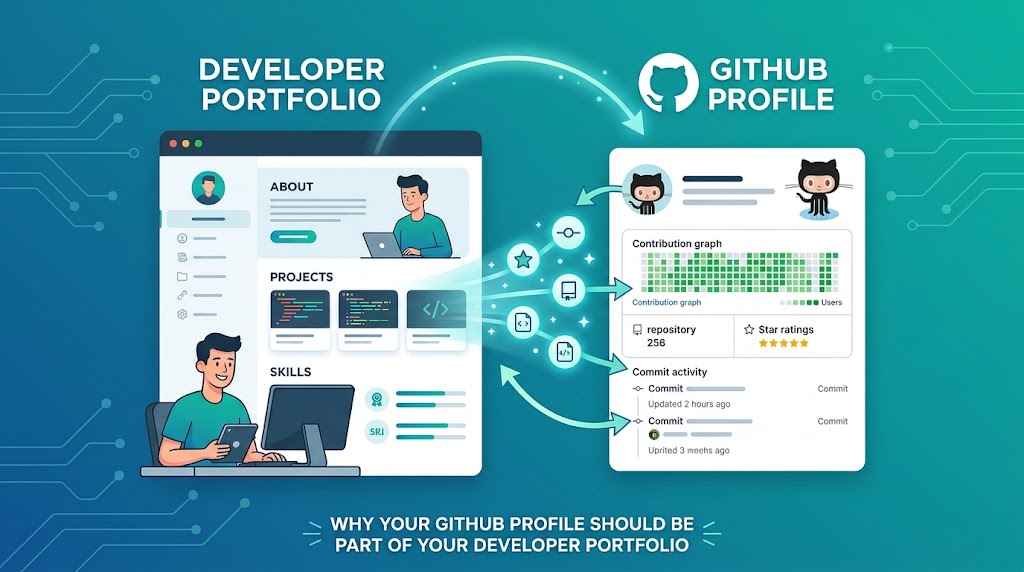
When someone asks for your developer portfolio, what do you usually send?
Your personal website?
Your resume?
Maybe your LinkedIn profile?
Those are all useful.
But there's one thing that often gets overlooked:
Your GitHub profile.
For developers, GitHub can be much more than a place to store code.
It can become a public record of how you build software, solve problems, document your work, collaborate with others, and learn new technologies.
That's why I believe your GitHub profile should be part of your developer portfolio.
Not because you need hundreds of repositories.
Not because every repository needs to be impressive.
And definitely not because you need to commit code every single day just to make your contribution graph look busy.
The real value is showing how you think and how you work.
Let's talk about why that matters.
Your Portfolio Says What You Built. GitHub Shows How You Build.
A personal portfolio usually tells people:
“Here are some projects I've worked on.”
That's useful.
But GitHub can provide another layer:
“Here's how I actually build those projects.”
Someone looking at your portfolio might see:
E-commerce Platform
Built using Laravel, MySQL, and React.
That sounds good.
But when they visit the repository, they may also see:
Project structure
README documentation
Commit history
Issues
Pull requests
Testing
Configuration
Code organization
Suddenly, the project becomes more tangible.
Your portfolio tells the story.
GitHub provides evidence behind the story.
GitHub Is a Living Portfolio
One advantage GitHub has over a traditional resume is that it can evolve over time.
A resume might say:
“3 years of backend development experience.”
Your GitHub profile can show examples of that experience.
You can publish:
Side projects
Open-source contributions
Technical experiments
Proof-of-concepts
Reusable components
Learning projects
Architecture examples
Over time, your GitHub becomes a kind of living developer portfolio.
You don't need to constantly rebuild it.
It simply grows as you build things.
Recruiters and Hiring Managers Can See More Than Your Resume
Let's be realistic.
A resume is usually heavily curated.
That's normal.
You choose the projects you want to highlight.
You choose the skills you want to mention.
You write:
“Experienced with Node.js, Laravel, React, and PostgreSQL.”
But what does “experienced” actually mean?
Your GitHub can give recruiters more context.
They might see:
Repository A
→ REST API
→ Authentication
→ PostgreSQL

Repository B
→ React
→ API integration
→ Testing

Repository C
→ Docker
→ CI/CD
→ Deployment
Now the claim on your resume has supporting evidence.
This doesn't mean recruiters will inspect every line of code.
But a strong GitHub profile can help demonstrate that the technologies listed on your resume are connected to real work.
Clients Can Also Learn From Your GitHub
GitHub isn't only useful when you're looking for a job.
It's also valuable for freelancers, consultants, and independent developers.
Imagine a potential client is considering working with you.
Your website says:
“I build modern web applications and backend systems.”
That's good.
But then they click your GitHub profile and discover several well-documented projects.
That adds credibility.
They can get a sense of:
Your technical interests
Your development style
Your experience with different stacks
Your attention to documentation
Your ability to structure projects
You don't have to expose private client code.
In fact, you should never publish confidential or proprietary code just to make your GitHub look impressive.
Instead, public side projects can demonstrate your capabilities without violating client confidentiality.
Your GitHub Profile Can Show How You Solve Problems
This is one of the most underrated benefits.
Good developers aren't valuable simply because they know a programming language.
They're valuable because they can solve problems.
A project README can communicate that process.
For example:
Problem
Managing irrigation manually is inefficient for small farms.
Approach
Built an IoT-based monitoring and control system using sensors and a web dashboard.
Architecture
Device → MQTT → Backend API → Database → Dashboard
Result
Enabled remote monitoring and automated irrigation control.
Now you're not simply saying:
“I know IoT.”
You're showing:
Problem → Approach → Implementation → Result
That's much more compelling.
A Good README Can Make a Huge Difference
You don't need every repository to have a 20-page document.
But important projects should have a useful README.
At minimum, consider including:
Project Name

What problem does this project solve?

Key Features

Technology Stack

Architecture / Workflow

Installation

Configuration

How to Run

Screenshots or Demo

What I Learned
A good README makes it easier for someone unfamiliar with your project to understand it quickly.
It also demonstrates something beyond programming:
communication.
And communication is an underrated developer skill.
Your GitHub Doesn't Need to Be Perfect
This is important.
Some developers avoid sharing their GitHub because they think:
“My code isn't good enough.”
Your GitHub doesn't have to represent perfection.
It should represent progress and capability.
Everyone has old projects.
Everyone has experimental repositories.
Everyone has code they would write differently today.
That's normal.
You can clean up old repositories, archive projects, improve README files, and pin your strongest work.
You don't need to hide your entire learning journey.
Just make sure the projects you want people to notice are easy to find.
Quality Matters More Than Quantity
You don't need 100 repositories.
In fact, 100 random repositories may communicate less than five strong ones.
Imagine two developer profiles.
Developer A
100 repositories with:
No README
Generic project names
Incomplete code
No explanation
Many abandoned projects
Developer B
8 repositories with:
Clear project names
Good README files
Meaningful documentation
Working demos
Clean structure
Clear explanations
Which profile would you rather explore?
Probably Developer B.
Your GitHub profile is not a competition for the largest number of repositories.
It's a reflection of the quality of your work.
Pin Your Best Projects
GitHub allows developers to highlight selected repositories on their profile.
Use that space strategically.
Instead of randomly pinning projects, think:
“If someone only looked at six repositories, which ones would represent me best?”
For example:
Project 1: Production-style web application
Project 2: Backend/API project
Project 3: Open-source contribution
Project 4: Technical experiment
Project 5: Architecture-focused project
Project 6: Project related to your target industry
Your pinned repositories can act like the homepage of your GitHub profile.
Make them count.
Your GitHub Username and Profile Also Matter
Small details can influence first impressions.
A professional profile is easier to trust.
Consider having:
A recognizable username
A clear profile photo
A short developer bio
Your location or region, if appropriate
Links to your website
Links to relevant professional profiles
A concise description of what you build
For example:
Software Developer | Backend & API Architecture | Laravel, Node.js, React
That's immediately more informative than:
“Coding stuff 🚀🔥”
There is nothing wrong with personality.
But make sure visitors quickly understand what you actually do.
Show Your Learning Journey
Your GitHub doesn't only need to contain finished products.
Learning projects can also be valuable.
Maybe you're exploring:
Kubernetes
Go
GraphQL
AWS
AI integrations
Event-driven architecture
IoT
New frontend frameworks
A small repository can demonstrate curiosity and experimentation.
Just make the context clear.
A README section called:
What I Was Exploring
can turn an unfinished experiment into a useful portfolio piece.
GitHub Activity Isn't Everything
There is a common misconception that a strong developer must have a contribution graph filled with green squares.
That's not true.
A contribution graph can be interesting, but activity alone isn't proof of engineering quality.
Someone can make dozens of tiny commits every day.
Another developer might spend weeks building one substantial system.
The number of green squares doesn't tell the whole story.
Focus on:
Meaningful work > artificial activity
Don't create meaningless commits just to make your graph look impressive.
Open Source Can Strengthen Your Portfolio
Open-source contributions can be especially valuable because they demonstrate that you can work in an environment you don't completely control.
Contributing to an open-source project can involve:
Reading unfamiliar code
Following contribution guidelines
Opening issues
Reviewing existing discussions
Creating pull requests
Responding to feedback
Collaborating with other developers
Those are real engineering skills.
Even a small contribution can tell a useful story.
For example:
“I fixed a validation issue in an open-source package.”
can demonstrate more than simply adding another tutorial project.
GitHub Can Support Your Personal Brand
Think about your developer presence online.
Maybe you have:
Personal Website
→ Your story
→ Your professional experience
Resume
→ Your qualifications
GitHub
→ Your technical work
Blog
→ Your knowledge and thinking
These platforms can reinforce each other.
For example, your blog can discuss:
“How I designed the API architecture for my project.”
Your portfolio can showcase the project.
Your GitHub can contain the implementation.
Now someone can move through:
Idea → Explanation → Project → Code
That's a powerful personal branding loop for developers.
What Should You Avoid Putting on GitHub?
Not everything belongs in your public profile.
Avoid exposing:
API keys
Passwords
Access tokens
Private client information
Production credentials
Confidential business logic
Sensitive infrastructure configuration
This sounds obvious, but it's surprisingly easy to accidentally commit secrets.
Use environment variables and appropriate secret-management practices instead of hardcoding credentials.
A Simple GitHub Profile Checklist
You don't need to completely redesign your profile overnight.
Start with the basics.
Profile
Make your bio clearly explain what you do.
Pinned Repositories
Choose your strongest and most relevant projects.
README Files
Explain the problem, solution, stack, setup, and important lessons.
Repository Names
Use clear names instead of:
test123
new-project
final-final-v2
project2
Give your projects names that make sense.
Documentation
Explain important architecture decisions and setup requirements.
Screenshots or Demos
When possible, show what the project actually looks like.
Clean Up
Archive or organize repositories that no longer represent your current work.
A Developer Portfolio Is About Evidence
At the end of the day, your portfolio isn't just about saying:
“I can build software.”
It's about giving people reasons to believe you.
A website can say:
“I build APIs.”
A resume can say:
“Experienced backend developer.”
But your GitHub can provide something more tangible:
“Here is an API I built. Here's the architecture. Here's the documentation. Here's how it works.”
That's evidence.
And evidence is powerful.
Final Thoughts
Your GitHub profile doesn't need to be perfect.
It doesn't need hundreds of repositories.
It doesn't need a wall of green contribution squares.
What it needs is intentionality.
Choose projects that represent the kind of developer you want to become.
Write documentation that makes your work understandable.
Show how you solve problems.
Keep improving.
Over time, your GitHub can become one of the strongest parts of your developer portfolio.
Because your portfolio tells people what you say you can do.
Your GitHub gives them a chance to see how you actually build.
Looking for a Developer to Turn an Idea Into a Real Product?
A strong portfolio is useful, but real projects are where ideas become products.
I work on web applications, backend systems, APIs, software architecture, and digital products, and I'm open to freelance projects, technical consulting, and collaboration opportunities.
Whether you have a new product idea, need to improve an existing system, or need a technical partner to help turn an idea into something usable, I'd be happy to discuss the possibilities.
Have a project in mind? Let's talk and see what we can build together.
What does your GitHub profile say about you as a developer?